


















Fix a DNS server not responding by isolating the failing path
Troubleshoot a DNS server that is not responding. Check the affected scope, configured resolver and permitted network path before making reversible changes.
 Written byYiyao

Start with the scope, not a reset button
A DNS server not responding message means the device did not obtain the expected DNS answer through its current path. It does not identify the faulty component by itself. The resolver, local connection, VPN, network policy, or a particular domain's authoritative service may be involved.
Check whether one website fails or many do. Then compare another device on the same approved network. Note any recent connection or configuration change. These simple observations reduce the chance of resetting a working system while leaving the actual fault untouched.
Collect the current configuration privately
ipconfig /all
nslookup example.com
On Windows, the first command shows adapter configuration, including configured DNS servers. It can expose local network details, so keep the output private or redact it before sharing. The second performs a public DNS query using the default resolver.
Read the named server, query, response status, and any timeout messages. An unfamiliar display name such as Unknown beside the resolver is not by itself a failed query; reverse naming for that server may be unavailable. Judge the actual answer and failure state.
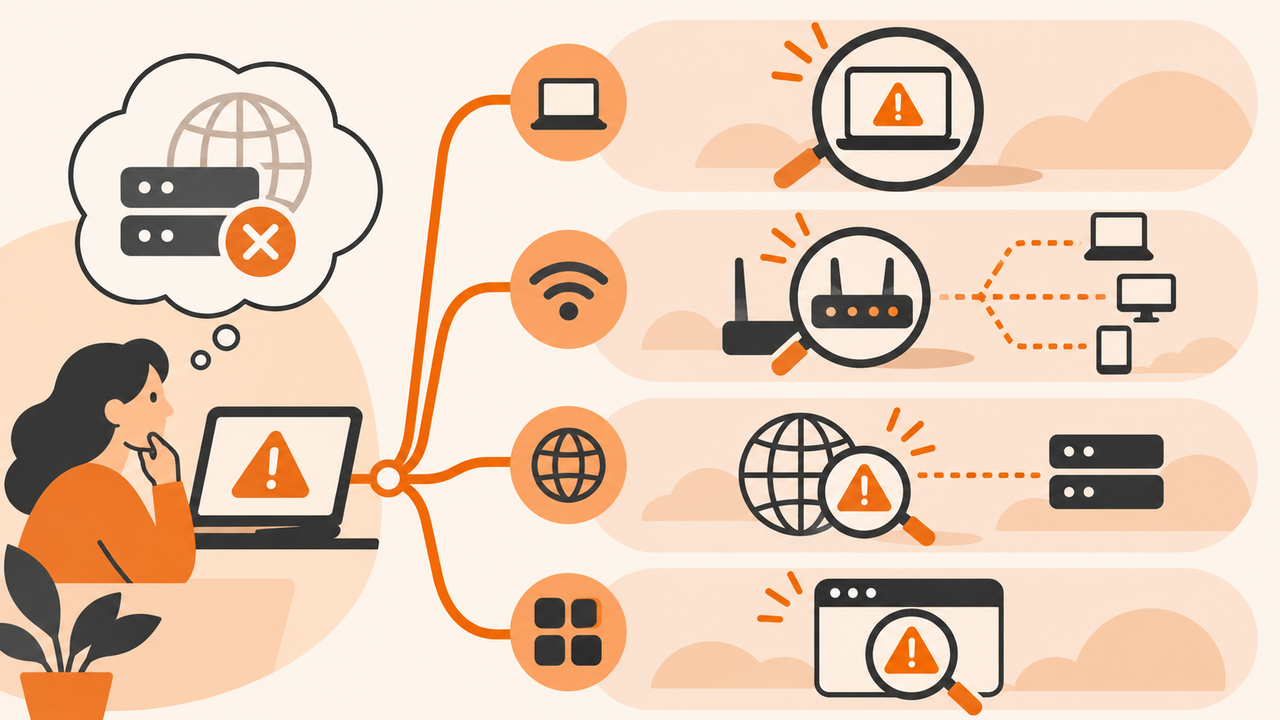
Use a four-way comparison
| Pattern | Likely area to investigate | Next controlled check |
|---|---|---|
| One app only | App cache, secure DNS, proxy or later HTTP stage | Compare its settings and an ordinary lookup |
| One device, many domains | Local adapter, resolver choice or VPN path | Compare with a working managed device |
| Many devices, many domains | Shared resolver, gateway or upstream service | Ask the network operator to inspect the shared path |
| One domain across devices | Domain delegation or authoritative service | Compare authoritative and recursive evidence |
These are diagnostic directions rather than guaranteed diagnoses. A comparison is useful only when the environment is stated. A mobile connection and a corporate VPN can intentionally resolve different names or apply different access rules.
Test an alternative only where allowed
nslookup example.com 1.1.1.1
This sends a single public query to an explicit resolver. If it works while the configured resolver times out, investigate the normal resolver path. If both fail, the network may restrict direct DNS traffic or have a broader connectivity problem.
Do not change an organization's resolver, disable its VPN, or switch off a firewall without authorization. Public resolvers generally cannot answer private corporate zones. A successful alternative lookup therefore does not prove that it is a suitable permanent replacement.
Make the smallest reversible change
For a personal device, reconnecting to the intended network may resolve a temporary path issue. A stale local DNS answer can be investigated using the Windows cache guide. A managed environment should follow the administrator's approved repair process.
Before a permitted configuration change, record the original settings and the exact symptom. Change one item, repeat the same test, and restore the setting if it does not help or breaks another required task. Avoid simultaneous router resets, adapter reinstalls, and DNS changes that destroy useful evidence.
Verify the original task, then escalate
After DNS responds, open the original hostname in the application that failed. A successful address lookup followed by a certificate or HTTP error indicates progress to a different layer, not necessarily complete recovery.
For escalation, provide the public name, time, resolver, error, affected device count, and the result of the allowed comparison. Arcvenza NSLookup supplies an independent public observation from its test server. Include that context rather than presenting its success as proof that the user's local resolver is fixed. If the name resolves but the application still fails, follow the HTTP error guide.
For a layer-by-layer view of where DNS ends and HTTP begins, read the Internet Protocol guide.
FAQ and next action
Should I use a numeric IP address in the browser to bypass DNS? That can change hostname routing and certificate behavior, so it is not a reliable equivalent test of an HTTPS website.
Should I keep flushing DNS after timeouts? A local cache reset cannot restore an unreachable server. Classify the response first and use the appropriate network or DNS-owner escalation path.
Technical references
Microsoft: nslookup · Microsoft: ipconfig · RFC 7766: DNS over TCP
Microsoft: nslookup · Microsoft: ipconfig · RFC 7766: DNS over TCP