


















What is Internet Protocol, and where does your request fail?
Understand how Internet Protocol fits with DNS, TCP, UDP, TLS and HTTP. Use a layer-by-layer example to locate a failure without confusing an IP with a website.
 Written byYiyao
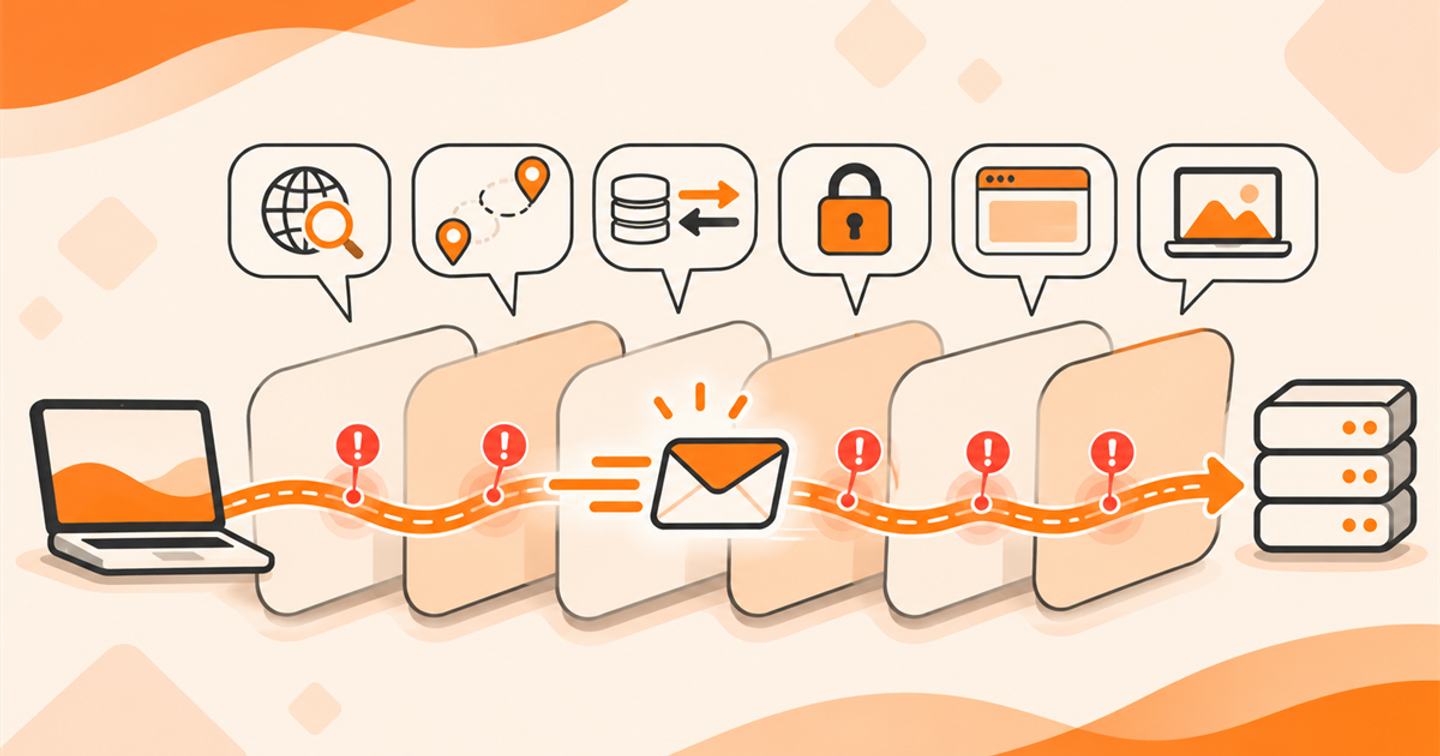
IP moves packets between network endpoints
Internet Protocol provides addressing and delivery of packets across interconnected networks. IPv4 and IPv6 are versions of that network-layer protocol. An IP address identifies an endpoint in a network context; it is not itself a web page, a user account, or a guarantee of service availability.
IP does not by itself provide the complete reliability, ordering, encryption, and application behavior expected from a modern web session. Other protocols and application logic supply those functions. Keeping the roles separate makes troubleshooting more precise.
Follow a familiar HTTPS request
For a typical HTTPS request to a named host, the client first needs an address, often obtained through DNS. It then establishes the appropriate transport and secure application connection before exchanging HTTP messages. The details differ between HTTP versions, so this is a conceptual sequence rather than one fixed packet recipe.
A failure at one stage can prevent later stages from occurring. If name resolution fails, there may be no application-server connection to inspect. If the server returns an HTTP error, the request has progressed further than a simple DNS failure.
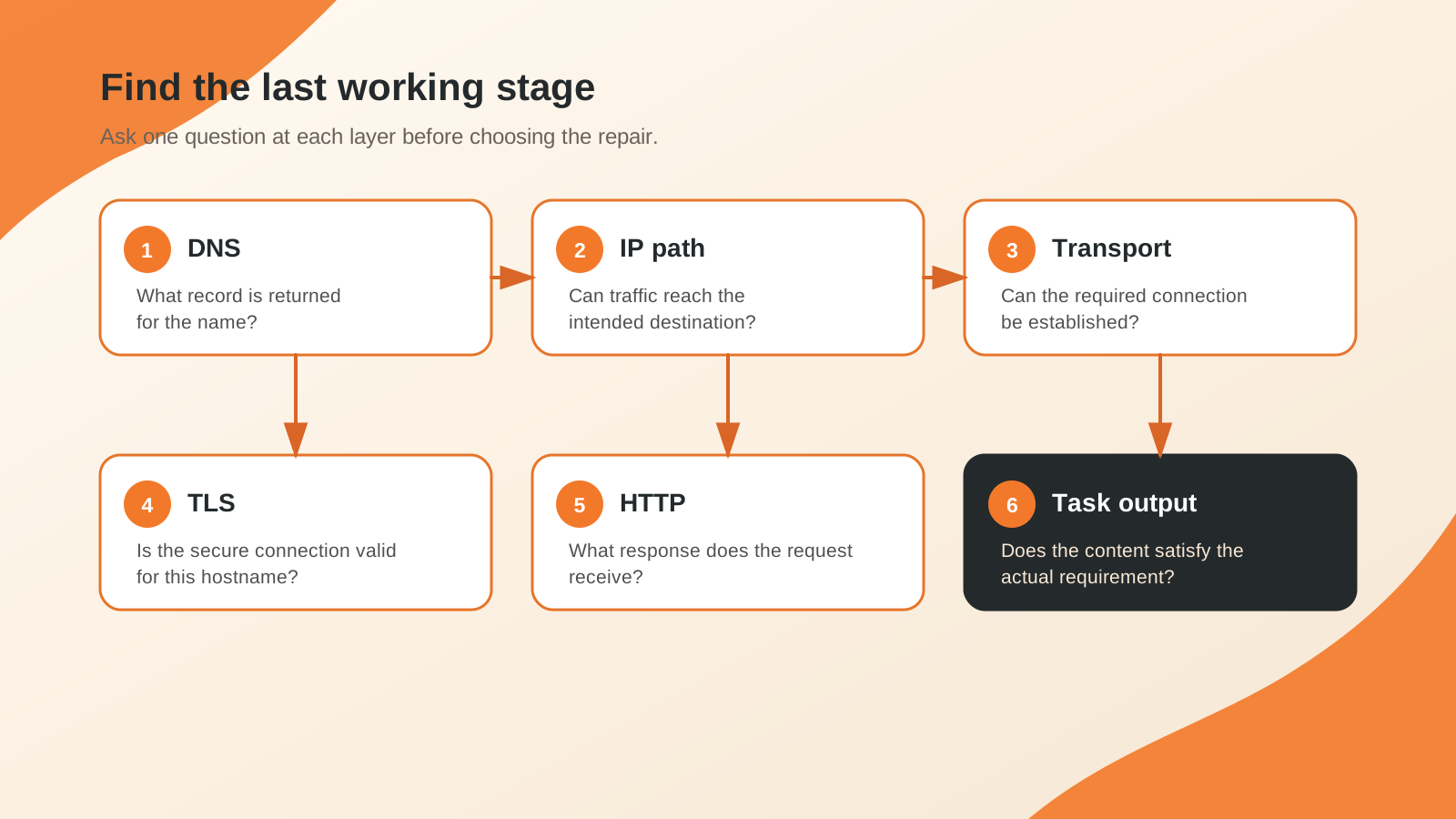
Give each layer a separate question
| Concern | Question | Evidence |
|---|---|---|
| DNS | What address or other record is returned for the name? | Query, type, resolver and DNS status |
| IP and network path | Can traffic reach the intended network destination? | Client connectivity and authorized routing diagnostics |
| Transport | Can the required communication be established? | Connection outcome and service endpoint |
| TLS | Is the secure connection valid for this hostname? | Certificate and handshake outcome |
| HTTP | What response does this request receive? | Status, headers and body |
| Task output | Does the content satisfy the actual requirement? | Required fields or user action verified |
One green check does not substitute for the others. A site can resolve to an address, accept a connection, and still return the wrong tenant page. A completed transfer can contain an error message rather than the requested dataset.
Keep TCP and UDP in their roles
TCP supplies an ordered, reliable byte-stream service for applications that use it. UDP provides datagrams without those same delivery and ordering guarantees. Applications and protocols can build additional behavior on top of either transport.
Do not equate UDP with every fast task or TCP with every slow one. The application, network path, losses, protocol design, and implementation all matter. DNS can use both TCP and UDP; HTTPS can use transport arrangements that depend on the negotiated HTTP version.
Separate IPv6 discovery from IPv6 delivery
An AAAA record supplies IPv6 address information, but it does not create a working IPv6 route. Likewise, an A record does not prove that the IPv4 destination accepts the intended service. Use the dual-stack guide to test each family from an environment that actually supports it.
When recording a result, identify whether the tool ran on the user's device or on a remote server. Arcvenza's public DNS tool observes from its own node. Its answer helps with DNS investigation but cannot establish every property of a user's local network.
Work through a layer-by-layer incident
Imagine an authorized data request resolves successfully and reaches an HTTPS service, which returns 403. Changing the DNS record is unlikely to correct the permission decision. Read the application's authentication and access requirements and investigate the response with its owner.
Now imagine the same client reports a DNS timeout and receives no HTTP status. Start with the resolver and network path instead of changing request-body fields. The useful troubleshooting habit is to identify the last confirmed stage and the first failed stage before selecting a repair.
FAQ
Can one address host many websites? Yes. Hosting and application routing can associate multiple hostnames with shared infrastructure, so a numeric address is not a complete substitute for the intended URL.
Does knowing an IP reveal a person's exact location? No. Network and registration information have limitations and should not be treated as a precise personal location. Use only information appropriate to the authorized diagnostic task.
Choose the next diagnostic page
Use the DNS server guide for missing responses, the AAAA guide for an IPv6-specific path, and the HTTP error guide when a server has returned an application response. Keep the query, environment, response, and actual task outcome together so the next reviewer can follow your reasoning.
Technical references
RFC 791: Internet Protocol · RFC 3596: IPv6 DNS records · RFC 9110: HTTP semantics