


















Convert JSON to CSV with a Clear Field Mapping
Convert an array of JSON objects into a predictable CSV with Python's standard library, including nested fields, missing values, arrays, column order, encoding and acceptance checks.
 Written byYiyao

Convert JSON to CSV by deciding what one row represents, selecting explicit columns and handling missing or nested values consistently. A CSV file is a table, so the mapping matters as much as the conversion command.
Define the row and column mapping
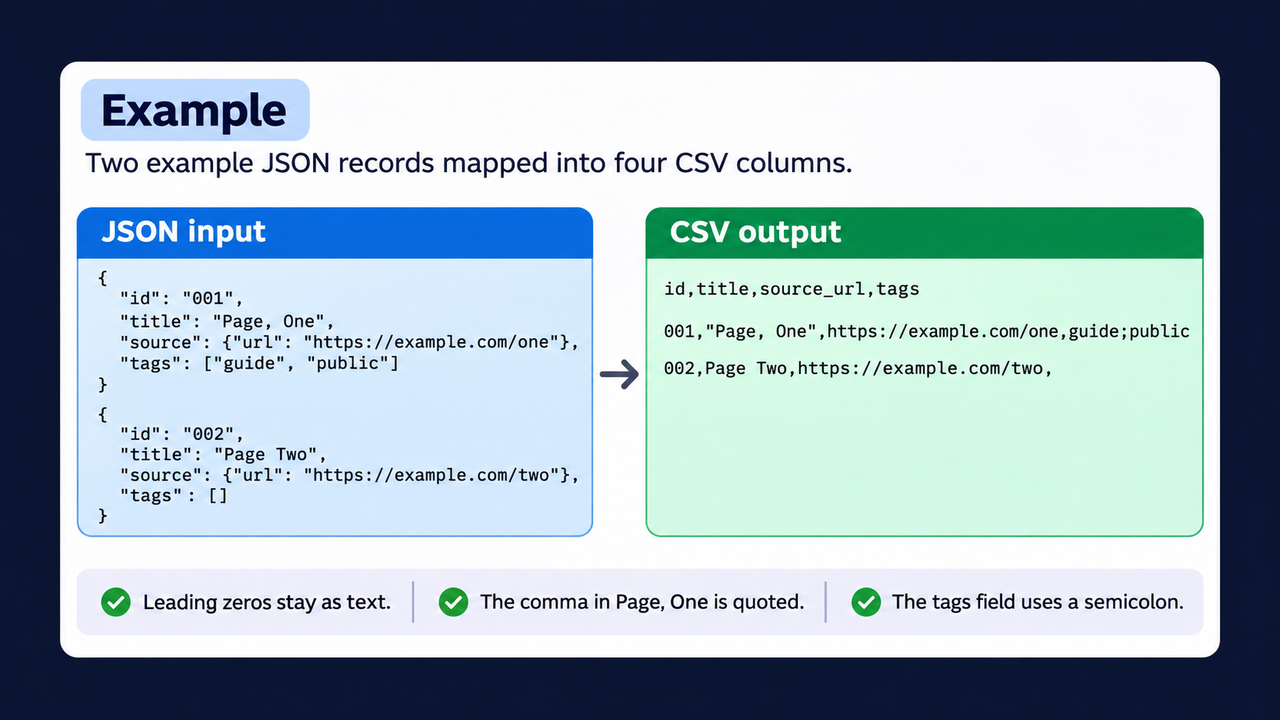
In this example, one JSON object becomes one CSV row. The nested source URL becomes a column, and the tag list is joined into a single readable field.
| JSON value | CSV column | Rule |
|---|---|---|
| id | id | Keep as text |
| title | title | Missing value becomes empty |
| source.url | source_url | Extract the nested URL |
| tags | tags | Join the strings with a semicolon |
Resolve nested objects and repeated values before exporting. If one input record represents one product, flatten a field such as supplier.name into a named column such as supplier_name. Decide whether a list such as tags will be joined inside one cell or expanded into multiple rows. Expanding it changes the row count and can duplicate other product values.
| Input condition | Mapping decision | Check after export |
|---|---|---|
| Missing price field | Leave the value blank and retain the source record | Blank remains distinct from zero |
| Nested supplier name | Use a documented flattened column | The value comes from the intended nested field |
| Multiple tags | Join with a chosen separator or create a separate related table | Tags remain distinguishable |
| Product ID with leading zeros | Preserve the identifier as text | The spreadsheet has not removed the zeros |
Try a complete small example
Create a local file named convert.py with the following Python code. The two records are fictional examples.
import csv
import io

records = [
    {"id": "001", "title": "Page, One",
     "source": {"url": "https://example.com/one"},
     "tags": ["guide", "public"]},
    {"id": "002", "title": "Page Two",
     "source": {"url": "https://example.com/two"},
     "tags": []},
]
buffer = io.StringIO(newline="")
writer = csv.DictWriter(
    buffer, fieldnames=["id", "title", "source_url", "tags"]
)
writer.writeheader()
for record in records:
    writer.writerow({
        "id": record["id"],
        "title": record.get("title", ""),
        "source_url": record.get("source", {}).get("url", ""),
        "tags": ";".join(record.get("tags", [])),
    })
print(buffer.getvalue(), end="")
Run python convert.py. The title containing a comma is quoted automatically:
id,title,source_url,tags
001,"Page, One",https://example.com/one,guide;public
002,Page Two,https://example.com/two,
Apply the mapping to an actual export
Load the JSON and confirm its top-level structure. If the records sit inside an items property, select that array explicitly. Validate that each record is an object and that nested fields have the expected types. Decide whether an array should become joined text or several rows before transforming the full dataset.
Check the result in the destination
Compare input and output row counts, inspect missing values and test commas, quotes and line breaks. Import identifier columns as text to preserve leading zeros. When opening untrusted data in a spreadsheet, use text import controls and handle formula-like values before allowing calculation.
Test the actual destination application with a deliberately varied sample. Include a comma inside a description, a quotation mark, a non-ASCII name, an empty field and an identifier beginning with zero. Use a CSV writer that handles quoting instead of joining values with commas yourself.
If the CSV will be opened in a spreadsheet, review untrusted text values beginning with formula-significant characters such as =, +, - or @. Choose an import or sanitization approach suited to that destination and preserve the original data separately. Quoting a CSV field addresses delimiters; it is not a complete spreadsheet formula-safety measure. Finish by comparing the number of output data rows and a few known records against the intended mapping.
FAQ
Why not join values with commas manually? A CSV writer handles quoting and escaping for fields that contain commas or line breaks.
Can nested arrays always fit one row? Choose a join or expansion rule that matches the dataset's purpose.
Reference: Python CSV module.
Continue with the right workflow
Website Crawler Tasks in One Console · Web Scraping with Python: Fetch, Parse and Validate · Explore Crawler Console