


















Proxy vs. VPN: Traffic Scope, Encryption, and Use Cases
Compare a configured proxy and VPN by traffic scope, hop-by-hop encryption, DNS behavior and verified exit route rather than blanket privacy claims.
 Written byNora



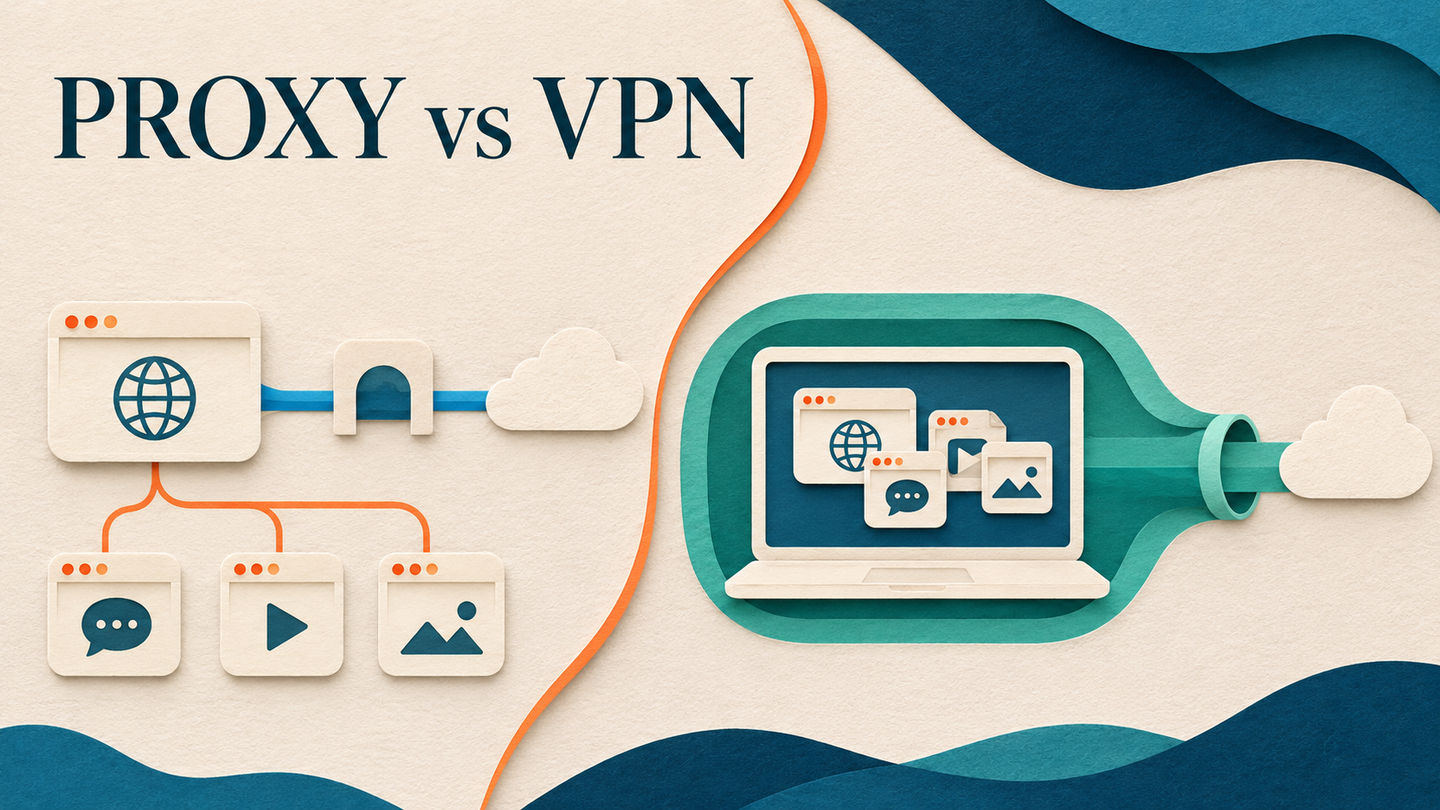
Both a proxy and a VPN can change the public IP address a destination sees, but that single visible effect hides important differences. The deciding questions are which traffic is routed, where encryption starts and ends, how names are resolved, and what you need to measure. Simple rules such as “a proxy is always faster” or “a VPN makes every app anonymous” do not hold for every configuration. This guide uses protocol behavior and a practical verification checklist to make the choice explicit.
1. Start with the traffic path and its scope
An HTTP or SOCKS proxy accepts connections from a configured client and relays them toward a destination. The client might be a browser, a test worker, or an HTTP library. HTTP CONNECT establishes a tunnel through an HTTP proxy to an authority; SOCKS5 defines a separate protocol for relaying connections. Which application uses that proxy depends on the application and operating-system configuration. A browser setting does not automatically route a background updater or another command-line program.
A VPN commonly creates a virtual network interface and routes selected IP traffic through a tunnel. WireGuard's conceptual overview describes its interface and encapsulation of IP packets. “Selected” matters: a full-tunnel policy may route most device traffic, while split tunneling routes only chosen destinations or applications. Check the actual route table and VPN policy rather than assuming that the product name determines coverage.
2. Map encryption by hop, not by product label
For an HTTPS website reached through an HTTP CONNECT proxy, the client can establish TLS with the destination through the tunnel. With certificate validation intact, the proxy normally sees connection metadata such as the requested authority but not the protected HTTPS page body. The connection from client to a plain HTTP proxy is a separate hop and may not itself be encrypted; an HTTPS proxy can protect that hop. A proxy does not automatically add end-to-end encryption to plaintext application traffic.
A VPN tunnel encrypts traffic between the client and VPN gateway according to its protocol. After the gateway forwards traffic toward the destination, protection still depends on the application protocol—usually HTTPS for web content. The TLS 1.3 specification describes confidentiality for the client-server connection actually established. A VPN is therefore not a substitute for checking the destination certificate, nor is a proxy a reason to disable TLS verification. Ask which party must be unable to read which data: local network observer, proxy/VPN operator, or destination. Neither intermediary removes the need to trust its operator or the website you contact.
3. Treat DNS and identity as separate questions
Resolving a hostname can happen before a connection reaches a proxy or through proxy-aware client behavior. SOCKS5 supports a domain-name address type, but that does not prove that every application sends hostnames rather than locally resolved addresses. Mozilla's Firefox proxy settings documentation exposes a separate proxyDNS control, illustrating why DNS behavior must be checked in the actual client. A VPN can also have DNS policies and routing exceptions; verify them instead of assuming all names follow the tunnel.
Changing the egress IP is not anonymity. Sites can still associate requests through an authenticated account, cookies, browser state, headers, and behavior. A shared IP does not imply a shared identity, and a dedicated IP does not prove a trustworthy account. For a regional test, record the observed exit IP, DNS path where relevant, visible site market, language, session state, and timestamp. That evidence is more useful than a claim that the connection is “hidden.”
4. Choose by task, not a universal ranking
| Question | Configured proxy | Configured VPN tunnel | Decision implication |
|---|---|---|---|
| What traffic takes the route? | Usually the clients explicitly configured to use it | Traffic selected by tunnel and routing policy | Test every required app or destination |
| Where is tunnel encryption? | Depends on proxy scheme and application TLS | Client-to-VPN-gateway tunnel | Keep HTTPS and certificate validation for web content |
| Can one worker use a different egress? | Commonly configurable per browser or HTTP client | Possible, but depends on VPN routing design | Prefer a proxy for fine-grained test routing |
| How are hostnames resolved? | Client-dependent; SOCKS5 can carry names | Depends on tunnel and DNS policy | Verify DNS rather than infer from the IP |
| Is the result automatically private? | No | No | Define the observer and remaining metadata |
For an authorized browser or data-collection test that needs a specific public market view, Arcvenza Residential Proxies provide location and session controls, subject to actual coverage. Arcvenza ISP Proxies provide stable endpoints for repeated sessions. For an enterprise remote-network requirement, a VPN may be the appropriate network-access design. These are task matches, not claims that either intermediary is universally faster, safer, or accepted by a destination.
5. Run a small verification before deployment
First list every client whose traffic matters: browser, API worker, package manager, background service, and DNS resolver. Route a request to an endpoint you control or an approved diagnostic service from each client, and record the observed public IP. Next test a permitted HTTPS destination, verify the certificate, and compare the expected content and market cue. Repeat with and without the intermediary in the same time window so an unrelated page change is less likely to be mistaken for a routing effect.
Then inspect failures at the correct layer. An HTTP 407 Proxy Authentication Required points to proxy credentials or policy; a destination 403 or 429 involves the destination and its access or rate rules. A 200 response containing a consent or challenge page is not a valid business result. Do not treat IP rotation or a different VPN exit as permission to ignore restrictions. Keep the provider endpoint and credentials out of logs, and document which routes were actually tested.
6. Make the decision auditable
Choose a proxy when the important capability is controlled egress for a particular client or workflow. Choose a VPN when the important capability is a protected network tunnel under a routing policy, such as access to a private organizational network. If you combine them, trace the complete path and verify which intermediary is outermost; layering them without understanding the route can obscure failures and DNS behavior.
Document the threat model, clients, destination set, route scope, DNS behavior, TLS settings, session requirements, and measured result quality. Review the design when the client or source changes. Both tools can be useful, but their protection and utility come from the configured path and verified behavior—not from the words “proxy” or “VPN” alone.
Official Standards & Technical Documentation
IETF — HTTP CONNECT method (RFC 9110)
IETF — SOCKS Protocol Version 5 (RFC 1928)
WireGuard — VPN tunnel conceptual overview
IETF — TLS 1.3 protocol (RFC 8446)
Mozilla — Firefox proxy and proxyDNS settings
IETF — HTTP 407 Proxy Authentication Required (RFC 9110)