


















What is an SOA record? Read the fields in context
Read an SOA record's server, contact, serial and timing fields. Work through negative-cache TTL without confusing zone metadata with an address record.
 Written byYiyao

SOA describes a DNS zone
SOA stands for Start of Authority. An SOA record contains administrative and timing information for a DNS zone. It is not the A or AAAA address that a browser uses to reach a website, and its serial is not an application version.
You may encounter SOA information while inspecting a zone or investigating a negative DNS answer. Read the fields together with the query and response status. A record's presence in an output does not automatically mean the requested website record was found.
Ask for the record explicitly
nslookup -type=SOA example.com
This queries a public demonstration zone. Its live values can change. Identify the zone name, primary server field, responsible-mailbox representation, serial, and timing values in the result.
When comparing authoritative servers, keep the same zone and query type. Record which server answered. A recursive answer may be cached, so do not compare it with a fresh authoritative answer as though both necessarily represent the same instant.
Read each field's job
| Field | Role | Common mistake |
|---|---|---|
| MNAME | Primary or original source server identified for the zone | Treating it as the website host |
| RNAME | Responsible mailbox encoded as a DNS name | Reading it as a normal website URL |
| SERIAL | Zone-version value used by DNS synchronization logic | Assuming every operator uses a calendar date |
| REFRESH / RETRY | Timing for secondary refresh and retry behavior | Applying them to browser page refresh |
| EXPIRE | Limit relevant to an unrefreshed secondary copy | Treating it as domain-registration expiry |
| MINIMUM | A value used in negative-answer caching | Assuming it overrides every positive-record TTL |
Timing values are expressed in seconds. Some control panels format them as hours or days. Preserve the raw value when comparing output from different tools so a display conversion does not look like a configuration change.
Work through negative caching
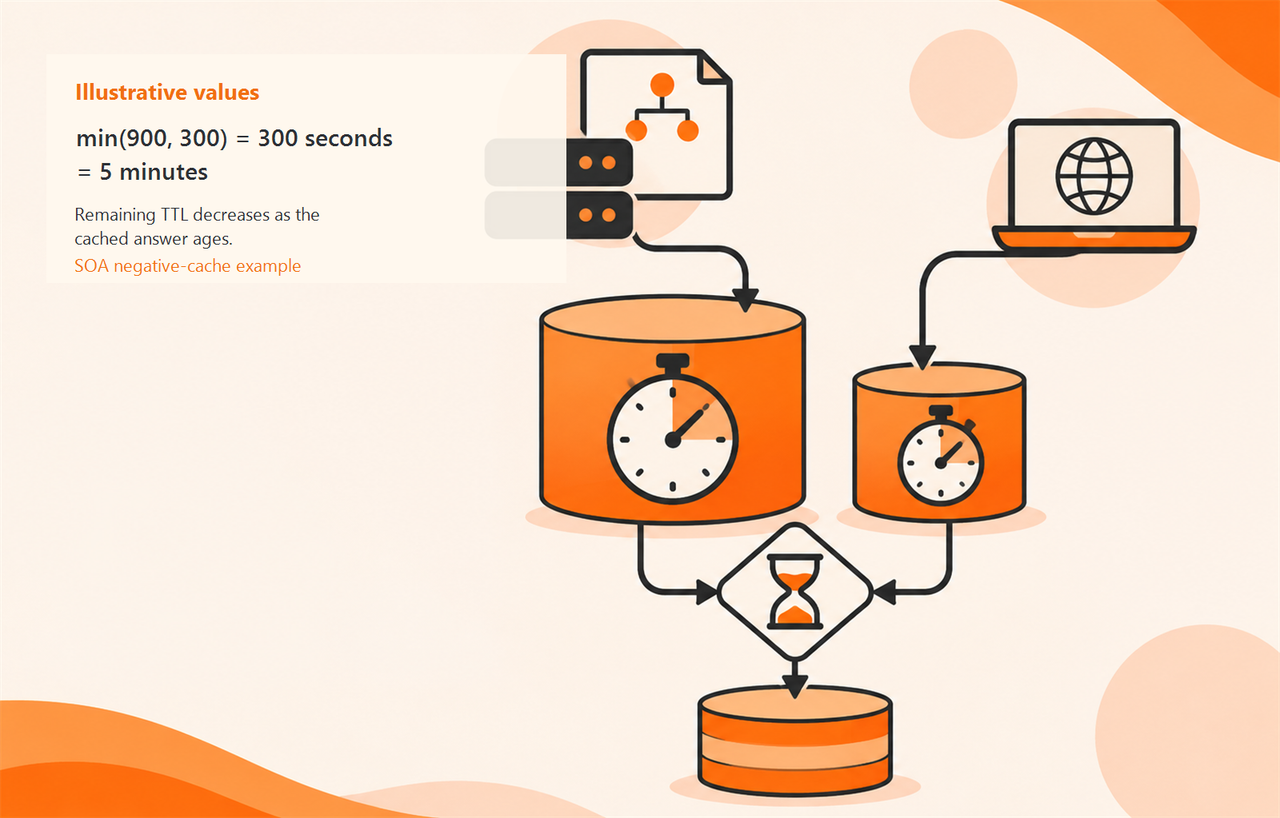
RFC 2308 defines the negative-answer TTL using the smaller of the SOA record's TTL and its MINIMUM field. This is relevant when a resolver caches a name-error or no-data response. A later DNS update does not automatically erase an answer already stored elsewhere.
For an illustrative SOA TTL of 900 seconds and MINIMUM of 300 seconds, the negative-answer TTL is min(900, 300) = 300 seconds. That is five minutes at creation. The remaining TTL decreases as the cached answer ages; it is not a promise that every client will recover exactly five minutes after your edit.
Compare serials without inventing a date
A serial may resemble YYYYMMDDnn, but that convention is not required. Treat it as the operator's zone-version value. Serial-number wraparound has defined comparison rules, so a simplistic greater-than comparison is not a universal DNS synchronization algorithm.
If authoritative servers appear inconsistent, record their identities, returned serials, query time, and the actual record in question. Ask the DNS operator to confirm intended synchronization. Different observed serials are a lead for investigation, not permission to rewrite the zone blindly.
Connect metadata to the original failure
Suppose a new hostname is present authoritatively but a recursive resolver still returns a negative answer. Inspect the negative response's SOA and remaining lifetime alongside the actual requested name. This explains why repeated local retries may keep seeing the same absence.
If the authoritative record itself is missing, correcting the SOA's timing fields is not a substitute for creating the intended record. Use the A-record guide for an IPv4 mapping and the NXDOMAIN guide for a name-error investigation. Fix the relevant data or path, not whichever field happens to be visible.
FAQ
Is SOA EXPIRE my domain's expiration date? No. Registration expiry is a separate registrar concern.
Should I manually lower every SOA value to make changes instant? No. These values affect DNS behavior and should follow the provider's operational design. Preserve the original settings and involve the DNS owner.
Inspect a real public zone
Open Arcvenza NSLookup, choose SOA, and record the query mode and answering server. Use the field table to explain the result in your own words. Keep live values timestamped and use the numerical example only as a learning exercise.
Technical references
RFC 1035: DNS records · RFC 2308: Negative caching · Microsoft: nslookup