


















What is Private DNS, and which meaning applies to you?
Separate encrypted DNS settings from private DNS zones. Understand what Private DNS protects, what it does not hide, and how to test a change responsibly.
 Written byYiyao
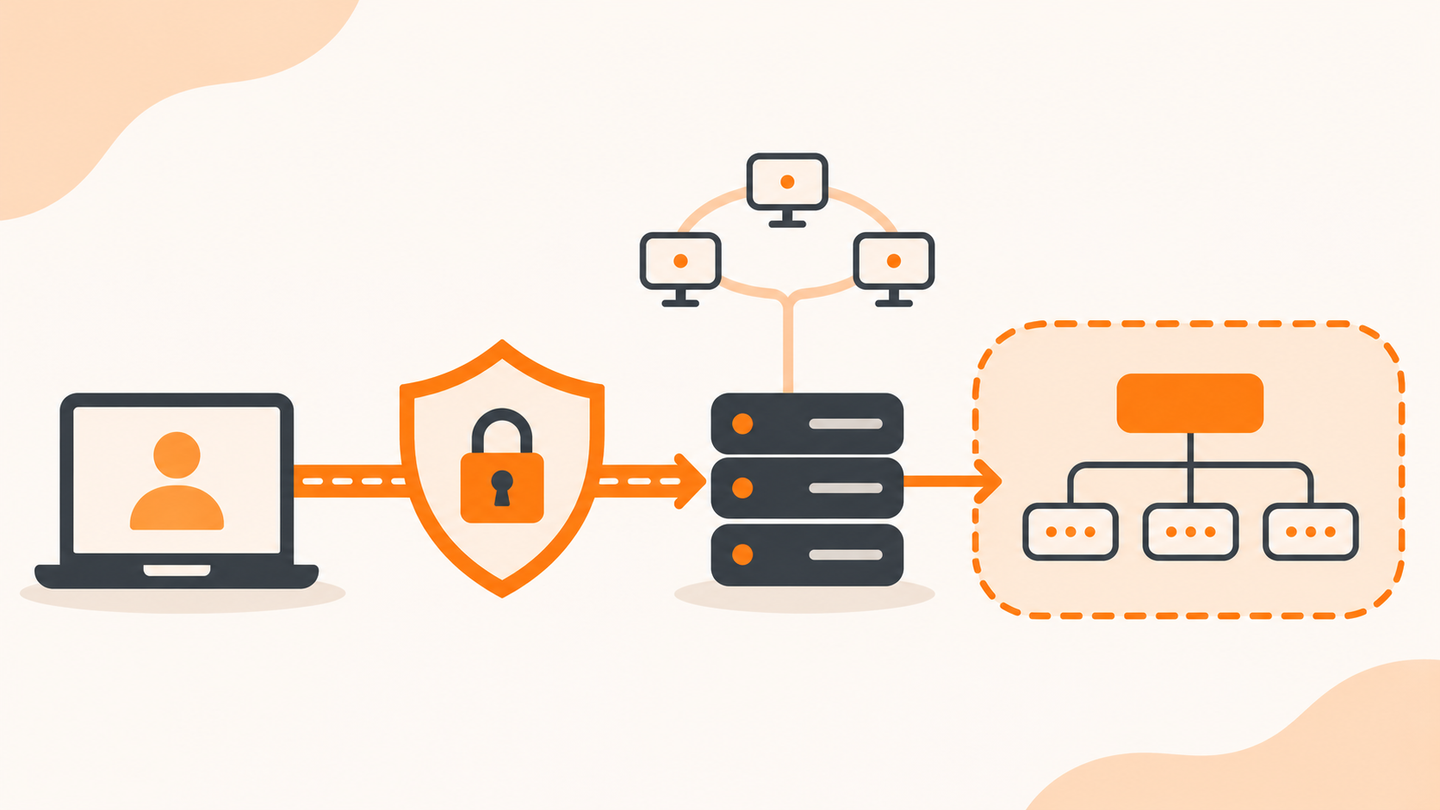
Module 1 | Two different ideas share the same phrase
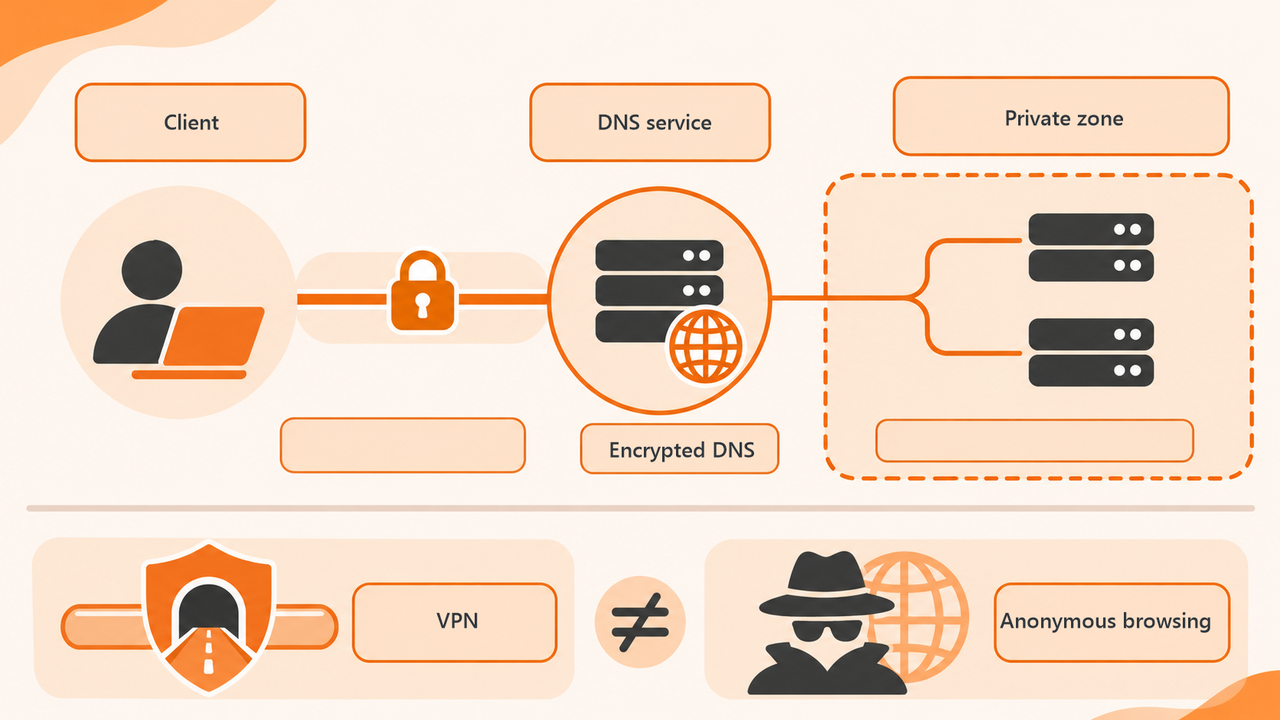
Private DNS can refer to encrypted DNS settings on a device, or to a DNS zone intended for an organization's internal network. These are different problems. One concerns protection of a DNS connection; the other concerns which names are visible and which resolver can answer them.
Before changing a setting, identify the task. Are you trying to protect ordinary public lookups, reach an internal company service, or repair a connection failure? A public encrypted resolver may help with the first task while being unable to answer the second.
Module 2 | Understand the encrypted connection
DNS over TLS encrypts the connection between a DNS client and the DNS service it contacts. This reduces opportunities for observers on that network path to read or alter the query in transit. The chosen DNS provider still processes the request.
Encryption on that hop does not make all browsing anonymous. It does not replace HTTPS for the website connection, hide every destination from every participant, or remove the need to trust the resolver's privacy and operational practices. Evaluate what is protected rather than relying on the word private.
Module 3 | Separate privacy, access and verification
| Question | Relevant consideration | What not to assume |
|---|---|---|
| Are DNS queries encrypted in transit? | Client and resolver support and actual connection | A private label proves every hop is encrypted |
| Who receives the queries? | Selected resolver operator and its policy | The resolver cannot see names |
| Can internal names resolve? | Approved private zone and network resolver | Any public DNS service knows internal records |
| Is the website connection secure? | HTTPS and application security | DNS encryption secures the whole session |
Write down the current setting before testing another provider. On a managed device, use the organization's approved configuration. A change made for privacy can still disrupt internal services if it sends their questions to the wrong resolver.
Module 4 | Use the device's current documented controls
Some devices expose a Private DNS setting, while browsers can have their own secure-DNS controls. Names, options, and supported modes vary by operating-system and browser version. Use the current instructions for that device and the DNS provider's exact supported hostname.
Do not paste a general website URL or an unverified IP address into a field that requests a provider hostname. Verify the setting saves and the connection works. If a strict encrypted-DNS configuration cannot connect, the device may fail to resolve names rather than silently taking the path you expected.
For Android devices covered by Google's current help instructions, open Settings, then Network & internet, then Private DNS. If that menu is absent, search Settings for Private DNS or consult the device manufacturer. Record the existing choice before selecting Off, Automatic, or Private DNS provider hostname. For the hostname option, enter the provider's documented hostname and tap Save. Leave a working setting in place unless you have a specific reason and permission to change it. Then test both a public website and any required work or school service; restore the recorded setting if the new choice breaks access.
Module 5 | Test a public task and a required private task
After an authorized change, test an ordinary public website and the work or school services you need. Record the active network and VPN state. A public page loading does not establish that internal course systems or enterprise names still resolve correctly.
If a required service fails, restore the recorded setting or follow the administrator's approved recovery process. Avoid turning off every security control at once. Make one change, test it, and keep enough context to explain the outcome.
Module 6 | Recognize a private-zone case
Imagine an organization has an internal name available only through its approved resolver while connected to its VPN. A public lookup cannot find that name. The result is not evidence that the organization's DNS record was deleted.
The correct next step is to confirm authorized network access and resolver selection. Do not submit confidential internal names to public diagnostic sites. Use Arcvenza's tool only for public names you are allowed to query, and use local approved tools for private-zone investigation.
Module 7 | FAQ
Is Private DNS the same as a VPN? No. DNS resolution and a VPN's traffic routing or tunnel are different functions, although their configurations can interact.
Will Private DNS always be faster? No. Resolver location, network path, caching, and service behavior affect performance. Measure the relevant task instead of assuming encryption implies a speed improvement.
Module 8 | Choose the appropriate troubleshooting path
Use the slow-DNS guide when the connection works but resolution is consistently delayed. Use the resolver-not-responding guide when answers fail to arrive. Keep the chosen resolver, network, query type, and failure state in the same record so the next action follows the evidence.
Technical references
RFC 7858: DNS over TLS · RFC 1034: Domain names · Google Android: Private DNS settings