


















SEARCH / GOOGLE
Google Search
Collect Google search results.
Arcvenza Crawler Console turns a website crawl into a task with inputs, estimated credits, status and results. Use it when the work needs a repeatable collection record rather than an untracked one-off request.
…Calls and concurrency includedTask history retained
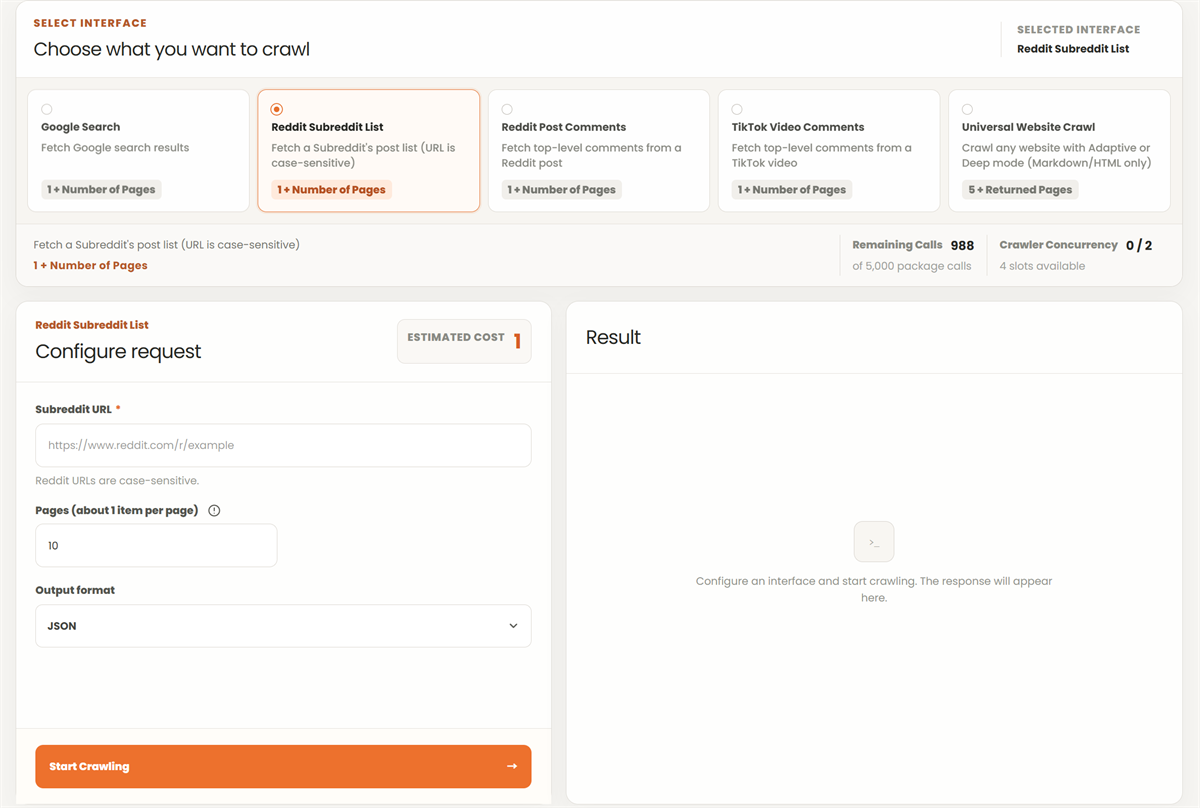
Select the interface that matches the target. The public product page lists search, social-comment and general website options. For a website crawl, review the available mode and output format in the current interface.
| Task stage | Action | Result to check |
|---|---|---|
| 01Configure | Enter the target and supported parameters | Correct URL and scope |
| 02Estimate | Review the displayed credit estimate | Cost basis and limits |
| 03Run | Submit and follow the task status | Queued, running or completed state |
| 04Inspect | Open output and logs | Useful content, errors and duration |
Collect Google search results.
Collect posts from a subreddit list. URLs are case-sensitive.
Collect top-level comments from a Reddit post.
Collect top-level comments from a TikTok video.
Crawl a website in alive or deep mode with HTML or Markdown output.
Write the expected output before running the task. A short website review may need a bounded page set with HTML or Markdown. A data pipeline may need an additional transformation after collection. Keep those two stages separate in the task definition.
Turn the expected output into an acceptance checklist that another reviewer can apply. For a content inventory, identify the required page types and choose a few examples of each. An article, a category listing and a contact page may expose different structures, even on the same website.
| Inventory field | Where to obtain it | Acceptance check |
|---|---|---|
| Source URL | Requested URL and returned location | The record points to the page that supplied the content |
| Page title | Returned page content | It belongs to the page, not a generic error screen |
| Main text | Supported HTML or Markdown output | It includes the intended section rather than navigation alone |
| Capture outcome | Result and task log | Missing or failed pages are recorded explicitly |
| Follow-up action | Manual review of the sample | Retry, exclude or adjust the extraction rule for a stated reason |
These are fields for the downstream inventory. Build the mapping from the output the selected crawl interface actually returns.
Use a permitted target and a modest scope. Inspect several pages manually to confirm that titles, body text and links correspond to the intended content. Check repeated navigation and error pages before passing the result to downstream processing.
Retain the selected interface, request parameters, task identifier and output location. When a result differs from an earlier run, compare the inputs and logs before changing the collection design. Task completion and usable data are separate checkpoints.
Set the approved website scope and choose the supported output. Run a small sample, inspect the actual pages and establish the fields needed for your inventory. Expand only after the collection and transformation produce the expected records.
Work through a small example before defining the full inventory. Suppose an approved scope contains a homepage, two category pages and three articles. Inspect one article in the browser, then compare its title and main paragraphs with the collected output. Repeat the check on a category page, where repeated product cards and navigation may dominate the text.
If the article is complete but the category contains only navigation, keep those outcomes separate. Record which page type needs another collection or extraction approach. If a source redirects, retain both the requested URL and final location in your working record so later checks can explain the change. The sample is ready to expand when each required page type has an understood output and every rejected item has a visible reason.
EXISTING PLAN ENTRY
Review the plan's crawler calls and concurrency before expanding the workload.
Review the task result and Crawler Logs for the request, status and duration.
General Website Crawl lists HTML and Markdown outputs. Apply the transformation needed by your downstream dataset after inspecting the actual result.
Use the next guide when the collected output needs comparison, field mapping or code-level validation.
READY TO START?