


















DNS meaning: what happens between a name and its answer
Understand DNS through a complete lookup journey. Separate names, records, resolvers and caches, then choose the right query for a real troubleshooting task.
 Written byYiyao
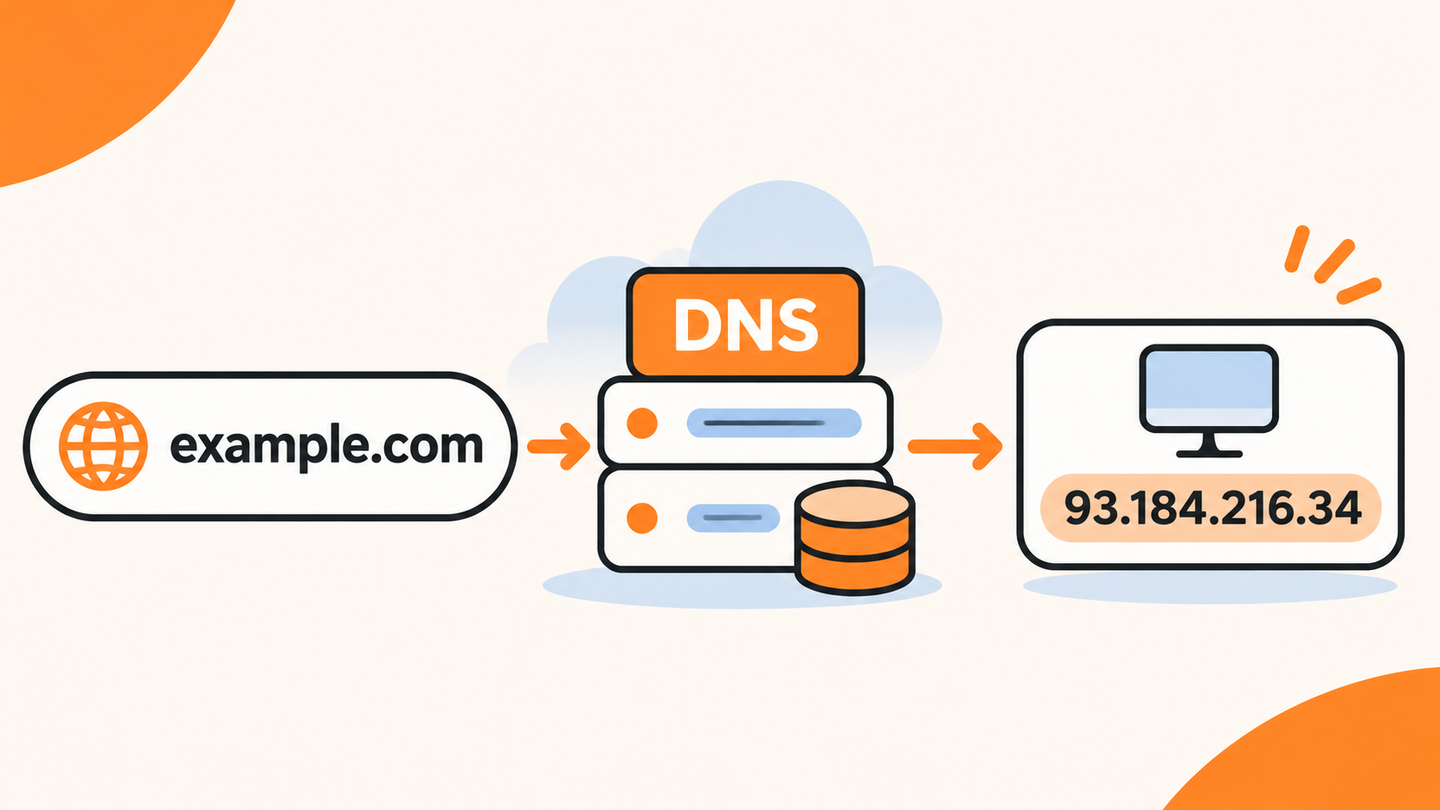
Module 1 | DNS connects names with information
DNS stands for Domain Name System. It is a distributed naming system that lets a client request information associated with a domain name. Address lookups are familiar examples, but DNS also stores records for mail routing, service configuration, and other purposes.
Think of DNS as answering a typed question. Asking for an A record requests IPv4 information; asking for MX requests mail-exchange information. The same name can have different answers depending on the record type. Understanding the question is essential to understanding the result.
Module 2 | Separate the name from the URL
In https://www.example.com/guides, www.example.com is the hostname. HTTPS is the application scheme and /guides is the page path. An ordinary DNS address query concerns the hostname, not the path.
This separation explains why a working homepage and a missing article can share the same successful DNS lookup. A 404 for one path belongs to the HTTP or content layer. Changing a DNS record is unlikely to create the missing page.
Module 3 | Follow the participants in a lookup
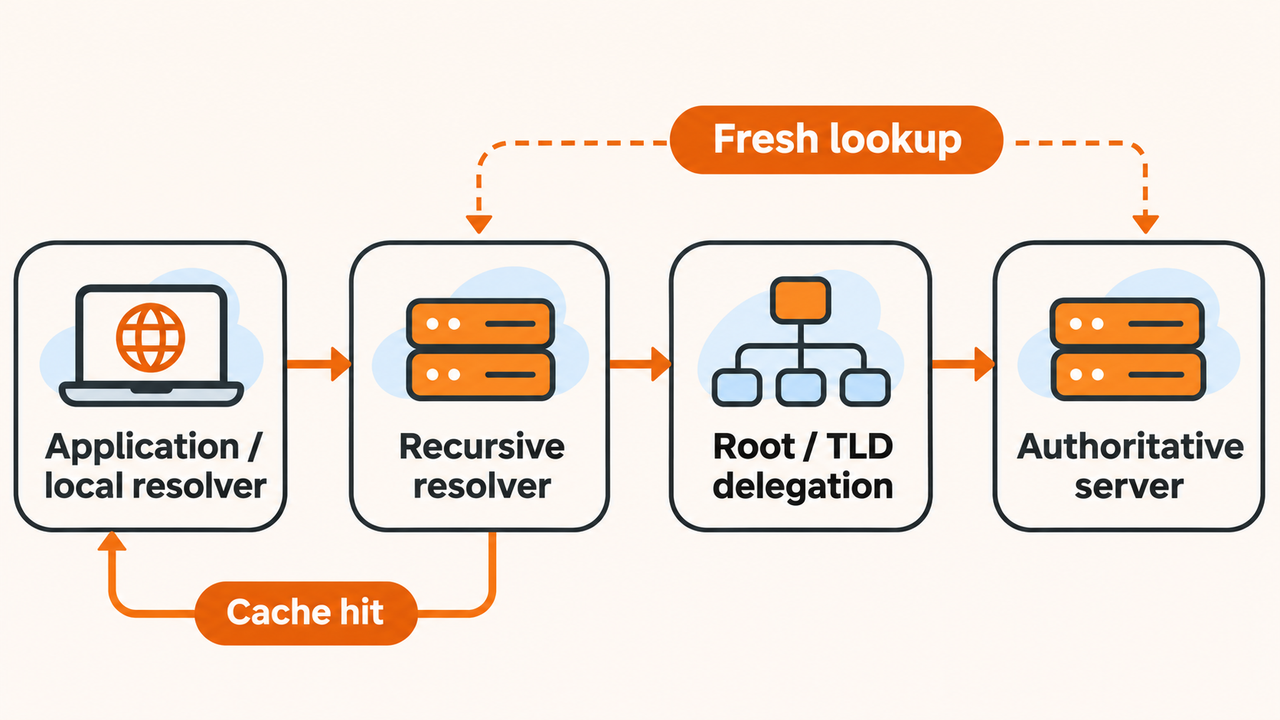
| Participant | Role | Useful diagnostic question |
|---|---|---|
| Application and local resolver | Request an answer, possibly using local cache | Which name and type does the app need? |
| Recursive resolver | Return a cached answer or resolve the question | Which resolver answered and when? |
| Root and top-level delegation | Direct resolution toward the relevant zone | Is delegation reaching the intended servers? |
| Authoritative server | Publish data for its zone | What is the currently published record? |
A cached answer can avoid repeating the whole path. A fresh recursive lookup may need several steps, but a user does not normally contact every server manually. A diagnostic trace exposes more of that process for investigation.
Module 4 | Read one small example
Imagine a client requests the A record for app.example.com. Its resolver returns the illustrative address 192.0.2.30 with a TTL of 300 seconds. The address is a documentation example; the TTL describes a caching lifetime for that answer.
The client still needs to connect to the service and make an application request. A DNS answer does not certify that the service is online, authorized for the user, or presenting the expected content. Keep those checks separate in a troubleshooting note.
Module 5 | Understand why two answers can differ
Resolvers may have cached data from different times. A domain can also use network- or location-dependent answers. A private organization may publish internal records that do not exist in public DNS.
Compare the exact name, record type, resolver, network context, and time before calling a difference an error. Ask what the intended application outcome should be. Different numeric addresses can both lead to a correctly configured service.
Module 6 | Choose the record that matches the question
Use the A-record guide for an IPv4 mapping and the AAAA guide for an IPv6 mapping. Use a CNAME query to inspect an alias. Use SOA when examining zone metadata and negative-cache behavior. These questions overlap in a workflow but do not have interchangeable answers.
For a public demonstration, run nslookup -type=A example.com and identify the resolver and answer. Then change only the requested record type. Keeping the name fixed makes the contrast easier to understand.
Module 7 | FAQ
Is DNS the same as a domain registrar? No. Registration and DNS hosting can be provided by different organizations; DNS answers depend on the delegated service and its published records.
Does DNS make a website secure? DNS is one part of the path. HTTPS, authentication, application security, and appropriate DNS protections address different problems. Do not treat a successful lookup as a security verdict.
Module 8 | Turn the concept into a useful lookup
Write a single question such as 'Which IPv4 address is published for this public hostname?' Use the nslookup command guide or Arcvenza's browser tool, Open NSLookup; record the type and resolver, and inspect the result. If the response reports absence, follow the NXDOMAIN guide instead of guessing from a blank screen.